


Knot IQ - The Bear Essentials
5.0190.00 Reviews
App Specs
- Version
- 3.8.1
- Updated On
- License
- $4.99
- Downloads
- 10,000+
- Developer
- The Bear Essentials Outdoors Co. LTD.
- Categories
- Books & Reference
- Platform
- Android
Screenshots
 Analysis by AppCompare
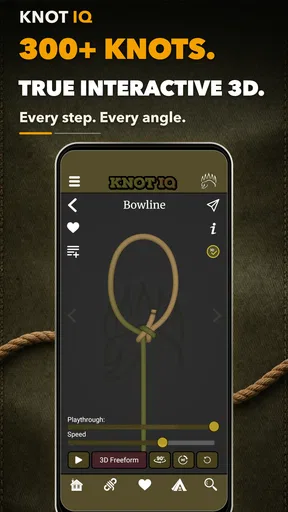
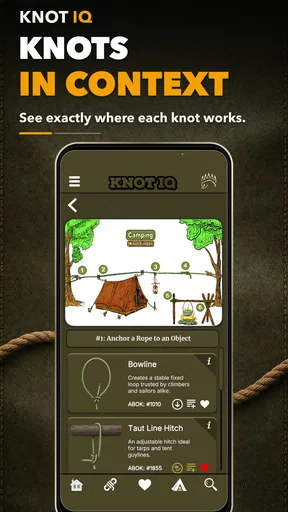
I installed Knot IQ - The Bear Essentials expecting a simple reference tool, but I found something more useful than a static knot chart. It is a focused Books & Reference app from The Bear Essentials Outdoors Co. LTD. that turns knot practice into a visual, hands-on routine. The central appeal is clear: the instructions are presented in three dimensions and remain available offline, so I can study a knot without depending on a signal at a campsite, on a boat, or in a workshop.
That focus also defines the app’s limits. This is not a broad outdoor encyclopedia, a survival course, or a replacement for supervised instruction when a knot failure could put someone at risk. It is a dedicated guide for learning and refreshing knot-tying techniques. In my experience, that narrow purpose is a strength when I want to solve a specific problem quickly, but it may feel too specialized if I only need occasional general reference material.
How I use the guide from a blank rope to a reliable knot
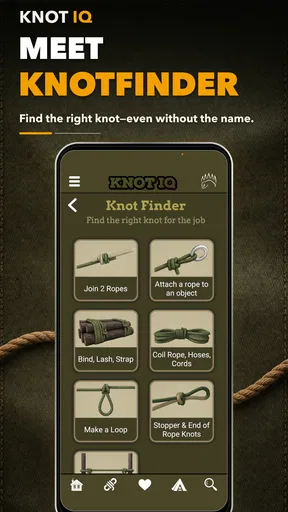
My most useful baseline workflow starts before I touch the rope. I first decide what the knot needs to do: join two lines, create a loop, attach a line to an object, add tension, or secure something temporarily. That small pause prevents the common mistake of choosing a familiar knot simply because I remember its name. Once I have a purpose in mind, I open the relevant guide and follow the three-dimensional sequence slowly rather than trying to imitate the finished shape immediately.
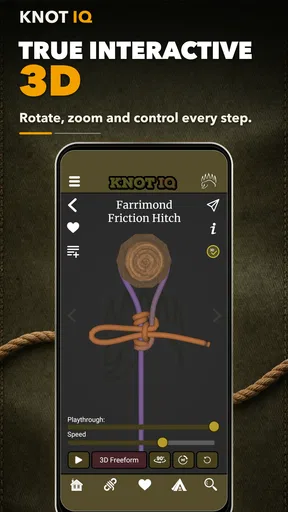
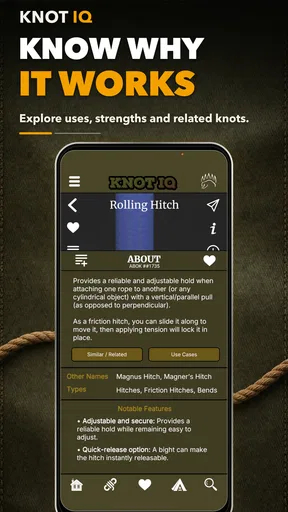
The visual approach matters because knots are difficult to understand from a flat drawing. A line that appears to pass over another line may actually pass behind it, and a loop can look correct from one angle while being completely wrong from another. The 3D presentation gives me a better chance of checking those crossings. I still rotate and inspect my actual rope from several sides, but the app makes the relationship between the strands easier to reconstruct.
I recommend using a short, flexible practice rope rather than a stiff cord or a thin shoelace. A rope with enough body makes each turn visible, while a very small line can hide mistakes inside the knot. I also keep both ends separated and work with generous slack during the first attempt. Tightening too early is one of the fastest ways to lose track of the sequence, and the guide is much easier to follow when every loop remains open.
After tying the knot once, I do not immediately move on. I compare the result with the model, paying particular attention to the direction of the working end and the way the standing part leaves the knot. Then I loosen it and tie it again from memory. This second pass is where the app becomes more than a visual demonstration: it supports a repeatable practice loop of observe, copy, inspect, undo, and repeat.
That routine is especially helpful for occasional outdoor users. Imagine preparing a tarp before a weekend trip and realizing that the knot you used last summer has disappeared from memory. Instead of searching through disconnected web pages while holding a rope, I can open the offline guide, review the sequence, and practice it beside the shelter. The benefit is not just access; it is having one consistent visual reference at the moment my hands need it.
Worth Reading Before You Choose

EA SPORTS FC Mobile 26 Is a Bigger Football Game, but It Takes Time

Flipboard Shows What News Apps Must Do Beyond the Feed

Switching to Android Auto Means Rethinking Your Driving Routine

Google Calendar Makes a Crowded Week Easier to Manage

Ludo King Makes the Most of the Minutes Between Plans

Baby Panda World Brings Quick Play to Modern Phones, but Its Game Library Feels Busy
Why offline access changes the everyday experience
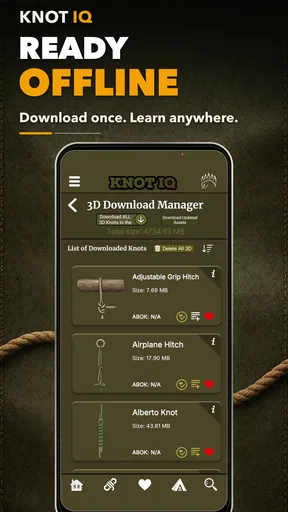
The offline design is one of the most practical parts of the app. Outdoor conditions are exactly where online alternatives become inconvenient: reception can be weak, a page may load slowly, and a video can consume attention when I need both hands for the rope. With this guide available locally, I can prepare at home, then use the same reference away from a connection.
Offline does not remove the need for preparation. I make sure the app is installed and that I have already opened the material I expect to use before leaving. I also practice in daylight or with a proper light source rather than treating a phone screen as a substitute for seeing the rope clearly. The app solves the access problem, not every practical problem around knot tying.
Compared with a printed knot book, the app is easier to carry and more interactive to consult. A book can be excellent for browsing and taking notes, but a flat illustration may require more interpretation. Compared with short online videos, this guide avoids the distraction of recommendations, comments, and changing playback speed. Videos can show a whole hand movement naturally, though, so someone who learns mainly by watching a person’s fingers may prefer that format for the first introduction.
Settings and habits worth checking before serious practice
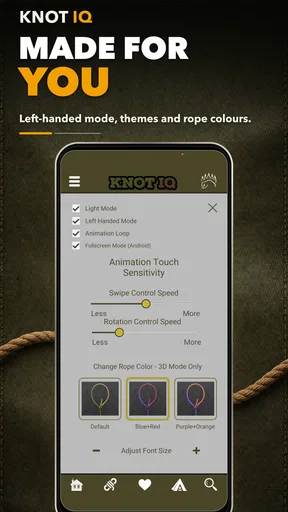
I treat the app’s available viewing controls as part of the learning process rather than something to ignore. A three-dimensional guide is only useful if I can see the line clearly, so I check the orientation and presentation before attempting a complicated sequence. If the model is moving too quickly for me to track, I slow my own hands down and revisit the step instead of trying to match it in real time.
The most effective adjustment is not a clever shortcut; it is choosing a viewing position that matches the rope in front of me. If I hold my rope horizontally while the model is easiest to understand vertically, I create unnecessary mental work. I rotate the physical rope or change my phone’s position so the two views tell the same story. That simple alignment makes a larger difference than rushing through repeated demonstrations.
I also keep the screen at a comfortable distance and avoid tying directly over it. A phone placed beneath the rope can be bumped, obscured, or exposed to dirt and moisture. Instead, I set it beside the work area and pause between steps. This is slower than copying a continuous motion, but it creates a useful checkpoint after every crossing. Experienced users may move faster once the pattern is familiar, while beginners benefit from treating each pause as a chance to verify orientation.
For a group setting, I use the guide as a shared reference rather than passing the phone back and forth constantly. One person can hold the device at a readable angle while another practices, then they can switch roles. This works well for family camping preparation or an informal outdoor skills session, because everyone is looking at the same sequence instead of relying on one person’s memory.
The app is rated for Everyone, which fits its straightforward reference purpose. That does not mean every real-world use is risk-free. A knot used for climbing, rescue, lifting, or life-support equipment demands training, inspection, and equipment-specific guidance beyond an app demonstration. I would not treat the age rating as a safety certification for high-consequence applications.
Building faster patterns without skipping the important checks
Once I know the purpose of a knot, I try to remember its shape through a small number of landmarks rather than memorizing every hand movement. I identify the first bend, the main crossing, the loop or hitch that follows, and the final direction of the working end. The 3D guide helps me confirm those landmarks. This makes later refreshers faster because I am recalling a structure, not replaying a vague string of motions.
A useful habit is to practice the same knot in two orientations. I first tie it with the working end in the position that feels natural, then repeat it from the opposite side of the rope. This exposes whether I genuinely understand the path or have only copied a single visual angle. The second version may not be the preferred working method for a particular task, but it is a good test of comprehension.
I also separate learning from performance. During learning, I leave the rope loose and stop whenever a crossing is unclear. During performance, I aim for a smooth sequence and inspect the finished knot afterward. Mixing these modes can create frustration: trying to be fast while still learning encourages guessing, while analyzing every movement during a time-sensitive task can slow me down unnecessarily.
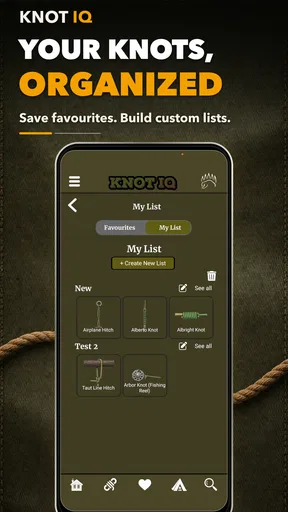
For repeat use, I keep a small practice routine. I choose one knot, tie it correctly several times, loosen it completely, and then attempt it without looking at the guide. If I hesitate, I return to the specific step that caused the problem instead of restarting from the beginning every time. This targeted review is where the app’s visual format is most valuable; I can use it as a correction tool rather than merely watching the entire demonstration again.
Another practical pattern is to rehearse with the rope thickness I expect to use. A knot can feel easy in a thick practice line and awkward in a thin cord. The app can show the path, but my hands still need to learn how much slack to leave and how the material behaves. I consider the digital guide a map, not a guarantee that every rope will tighten or hold in exactly the same way.
Where the guide is strong, and where I would choose something else
The app’s strongest audience is someone who wants a dedicated, portable knot reference with a visual learning style. Campers, hikers, anglers, scouts, boat owners, craft workers, and practical DIY users can all benefit from having a focused guide ready without an internet connection. It is also a good fit for people who have learned knots before but regularly forget the sequence between trips.
I would be more cautious recommending it to a person who wants broad technical instruction. If your main interest is rope rescue, climbing systems, sailing theory, rigging loads, or material science, a specialized course and authoritative manual will provide context that a knot-focused visual guide cannot replace. Likewise, if you learn best from a live instructor correcting your hands, the app should supplement that instruction rather than stand in for it.
The comparison with free web searches is not simply about cost. Online material offers enormous variety, but its quality and presentation vary from page to page. One tutorial may use different names, a different orientation, or a different definition of what “finished” looks like. This app gives me a more consistent workflow. The trade-off is that I pay for a specialized tool rather than collecting free resources, and users who only need one basic knot may not feel that the dedicated format is necessary.
At $4.99, I see the purchase as reasonable for someone who expects to return to the guide. It is harder to justify for a one-time question, especially when a library book, a printed card, or a free lesson might solve that immediate need. The value depends on repetition: the more often I practice, travel offline, or teach someone else, the more useful the app becomes.
The current version is 3.8.1, and the app requires Android 6.0 or later. That makes checking device compatibility worthwhile before buying, particularly if the phone is older or used as a dedicated outdoor device. On a compatible phone, the experience is simple enough to keep focused on the rope rather than on complicated setup.
Advanced limits that beginners should understand
A visually correct knot is not automatically the correct knot for every load, material, or situation. Friction, rope construction, moisture, wear, direction of pull, and the consequences of failure all matter. The app can help me reproduce a knot’s structure, but it cannot inspect my rope, judge the quality of my dressing, or understand the full environment in which I plan to use it.
“Dressing” is an important practical detail. Before loading a knot, I arrange the strands so they lie neatly instead of crossing randomly or forming accidental twists. I also leave an appropriate tail and check that the knot has tightened in the intended direction. These checks are easy to overlook when following a model quickly, yet they often determine whether the finished result is tidy and predictable.
I do not use the app as permission to improvise with safety-critical systems. For climbing or rescue, I would follow the equipment maker’s instructions and learn from a qualified instructor. For securing a load, I would consider the load, anchor, rope, and movement involved rather than assuming that a familiar knot is enough. This is not a criticism of the app; it is the boundary between learning a knot and designing a safe system.
There is also a physical limitation to any phone-based guide. In rain, mud, bright glare, cold weather, or while wearing bulky gloves, interacting with a screen can be awkward. I prepare the sequence before the task and practice enough that I can work with only brief glances. A laminated reference card may be better for a wet environment, while the app remains more useful during preparation and dry practice.
Another trade-off is that three-dimensional viewing can reveal more detail while initially demanding more attention. A flat diagram may be quicker for a knot I already know, whereas a 3D model is more helpful when I keep confusing over and under crossings. I would not expect every experienced rope user to prefer the app for every refresher. Its advantage is clearest when spatial relationships are the problem.
Who should install it, and who should pass
I would recommend Knot IQ to a practical learner who wants a stable reference, prefers visual instruction, and expects to practice more than once. It is particularly convincing for trips away from reliable internet, for teaching a friend or child under supervision, and for rebuilding confidence in knots that have not been used for months. The combination of offline access and 3D presentation gives it a clear identity within the Books & Reference category.
I would skip it if I only need a single quick answer, if I require formal safety training, or if I prefer printed material and never practice with a phone nearby. I would also avoid relying on it as the only source for high-risk applications. In those cases, a qualified instructor, equipment documentation, and a specialized manual are better choices.
The app has a 5.0 average from over 500 ratings, with more than 190 written reviews and over 10K installs. Those figures suggest that it has found a focused audience, but they do not change my main advice: decide whether you need a repeatable knot-learning workflow before paying for it. Popularity is less important here than whether the visual method matches the way you learn.
From my testing, the best results come from combining the guide with deliberate habits: choose the knot by purpose, align the phone’s view with the physical rope, keep slack during learning, inspect the finished dressing, and repeat the sequence without looking. The app does not make those habits automatic, but it gives them a consistent place to happen.
My final view is positive, with sensible boundaries. Knot IQ - The Bear Essentials is a well-targeted offline reference for people who want to understand and rehearse knot paths rather than merely glance at a finished illustration. I like it most as a practice companion and a field refresher, not as a substitute for judgment or instruction. If that is the role you need, the $4.99 price is easy to defend; if you are looking for a complete outdoor skills library, you should look elsewhere.
Pros
- Simple knot tutorials are easy for beginners to follow.
- Useful for camping
- fishing
- boating
- and everyday tasks.
- Visual instructions make each knot easier to understand.
- Works as a handy reference when offline.
- Covers practical knots rather than unnecessary advanced techniques.
Cons
- Some knot explanations may feel too brief for complete beginners.
- The app has limited value if you already know common knots.
- Navigation may feel basic compared with larger learning apps.
- Certain knots require practice beyond the on-screen instructions.
- Content may not be updated frequently with new knot techniques.
FAQs for Knot IQ - The Bear Essentials
What is Knot IQ - The Bear Essentials?
Knot IQ - The Bear Essentials is an educational and practice-focused app designed to help users learn, remember, and improve their knot-tying skills. It presents knot information in a more accessible format, making it useful for beginners as well as people who already have outdoor, camping, boating, climbing, fishing, or general rope-handling experience. Its value depends on how much detail and practice guidance you need.
Who can benefit from using Knot IQ - The Bear Essentials?
The app may be helpful for anyone who wants a portable reference for learning common knots and understanding when they are used. Beginners can use it to build basic knowledge, while experienced users may appreciate having knot information available for quick review. It can be particularly relevant to campers, scouts, hikers, sailors, anglers, climbers, and anyone interested in practical rope skills.
Does Knot IQ - The Bear Essentials teach knots step by step?
The app is intended to support knot learning through explanations and visual guidance, but users should not assume that reading instructions alone is enough to master every knot. Knot tying requires hands-on practice, correctly following each step, and checking the finished knot. For safety-critical activities such as climbing, rescue work, or boating, use qualified instruction and reliable safety procedures in addition to the app.
Can I use the app without an internet connection?
Offline availability can depend on the app version, device, and the way its content is delivered. If you plan to use Knot IQ - The Bear Essentials while camping, hiking, traveling, or in an area with poor reception, open the app before leaving and check whether the relevant knot guides load correctly without internet access. Downloading and testing the content in advance is the safest approach.
Is Knot IQ - The Bear Essentials suitable for children and beginners?
The app can be a useful introduction for beginners because knot terminology and instructions are easier to revisit on a phone than in a printed guide. However, younger users should practice with adult supervision, especially when using rope near water, heights, vehicles, or heavy equipment. The app should be treated as a learning aid, not a replacement for supervision, formal training, or safety equipment.


